monday.com Custom App Development and API Integrations
AWDP Solutions has its own development team, so when the platform cannot do what your business needs, we build it: custom apps on the monday apps framework, API integrations, AI agents, and external systems connected to your monday data.
When Configuration Is Not Enough
You can go a long way with boards, automations and integrations. Then you hit the wall: the view your team needs does not exist, the report has to combine data monday cannot join, the system you depend on has no connector, or the calculation your business runs on cannot be expressed in a formula column. At that point the usual advice is to change how you work. We would rather change the software.
Where monday.com Can Be Extended
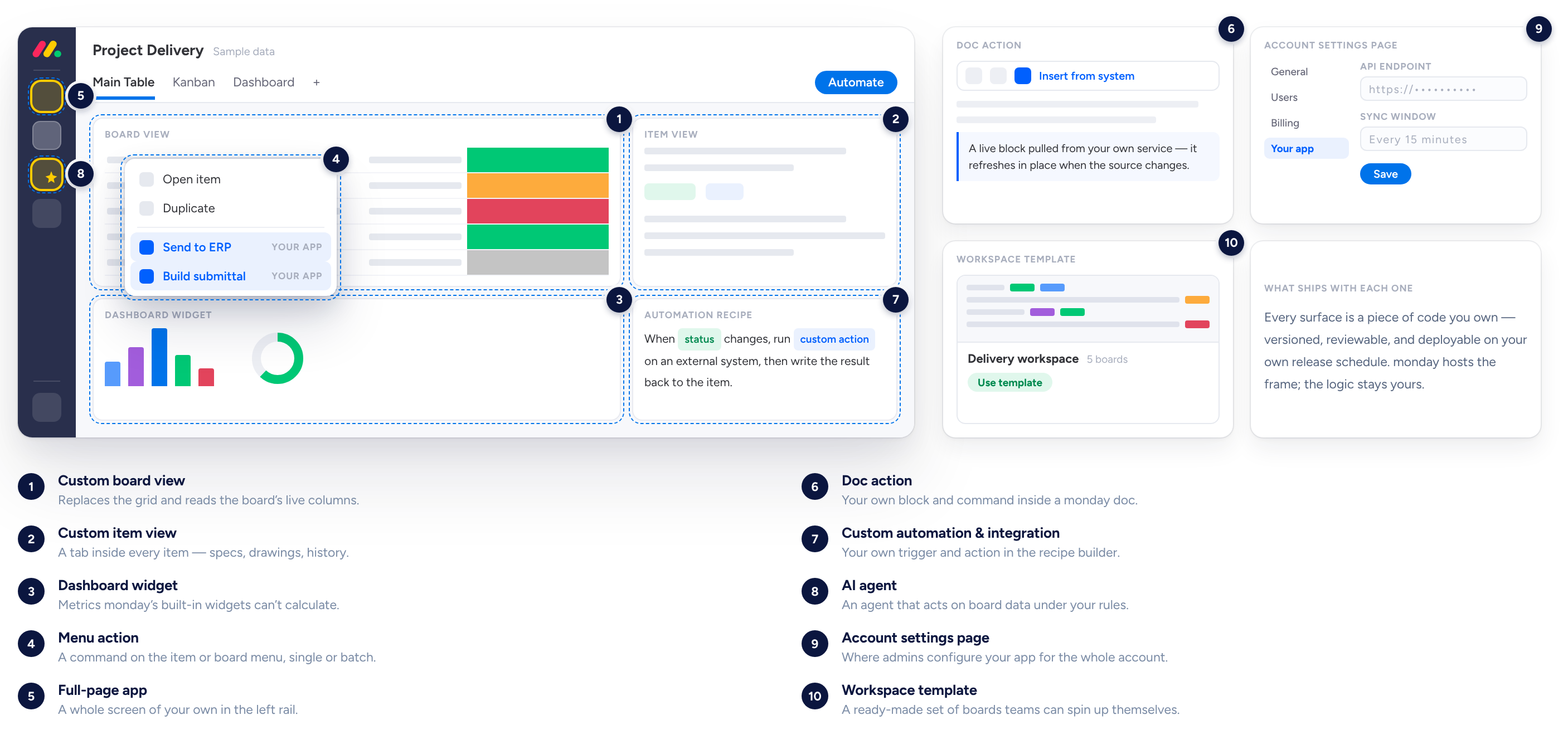
The monday apps framework has specific extension points. Each one puts your functionality in a different place in the product.
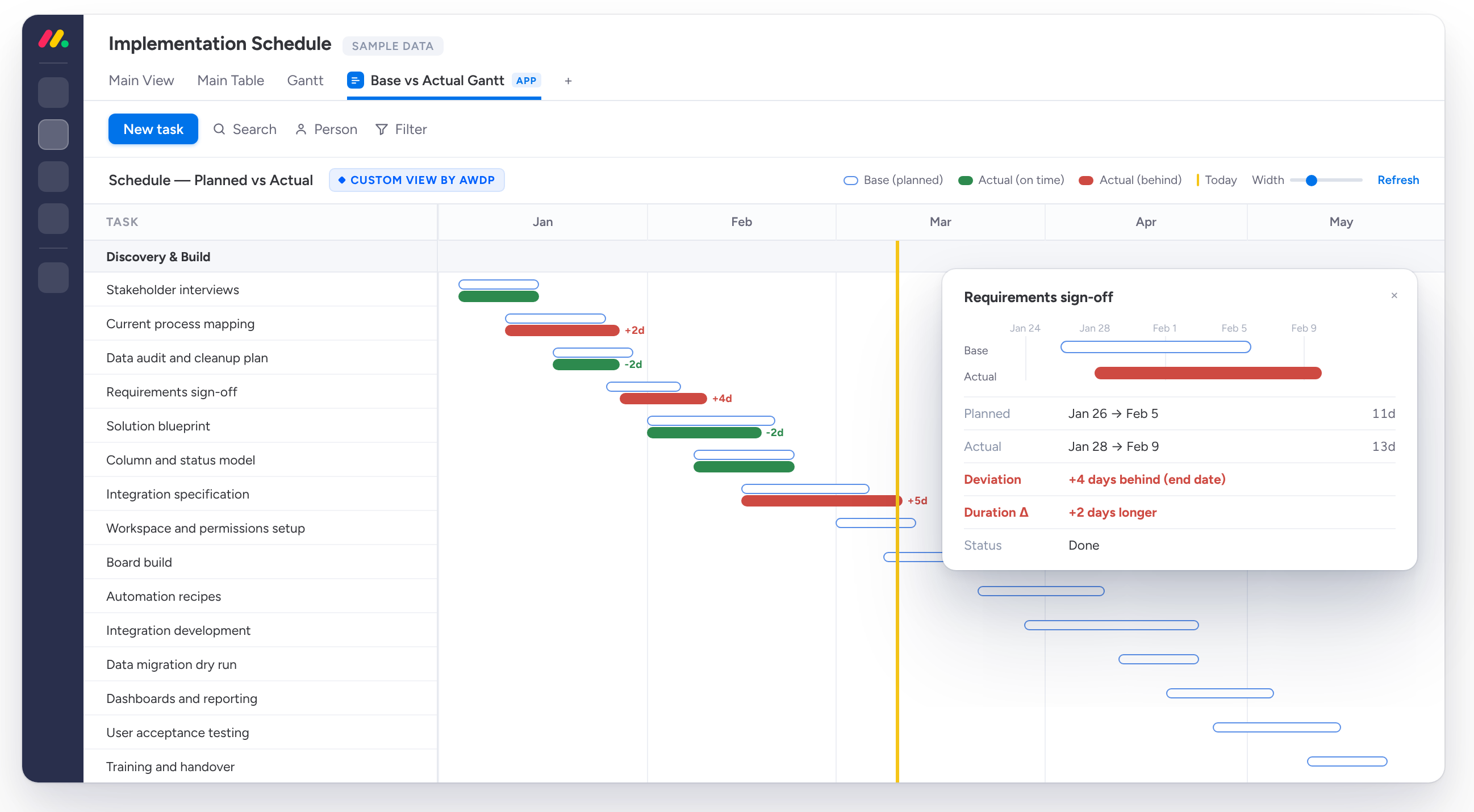
Board Views
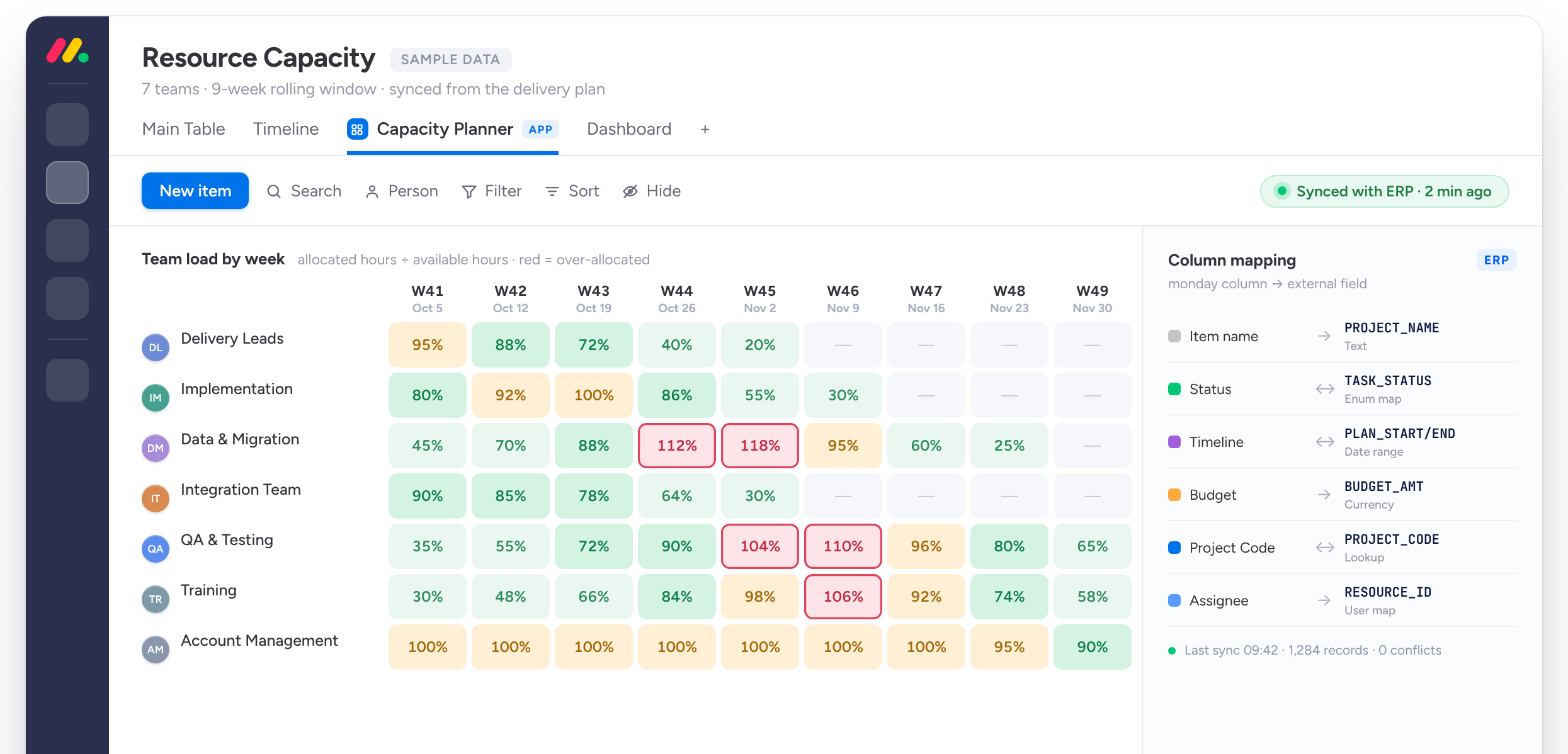
Custom tabs that sit beside Table and Kanban under a board's title, showing the same data any way you need it — a map of active job sites, a Gantt chart with budget burn overlaid, an inventory wall with photos and countdowns.
Item Views
A dedicated screen inside a single record: a project's change orders with running totals and approval status, a property's full listing with floor plans and viewing history, a member's profile with class history and renewal dates.
Dashboard Widgets
Widgets pull data across many boards for management views: budget versus actual across every active project, a quote-to-win funnel, or a cash-flow forecast built from project payment milestones.
Menu Actions
Buttons added to the item, board and column menus, right where the work happens: generate a quote PDF from project data, create purchase orders from several selected records, or turn a won bid into a full project structure in one click.
Full-Page Apps
Apps that live in the left-hand menu instead of inside a board, for tools that are not tied to one set of records: an estimating tool, a scheduling centre for crews and equipment, or the admin side of a client portal.
Doc Actions
Functionality added inside monday docs, such as generating a meeting record from project data or inserting standard clauses from a contract library.
Custom Automation Recipes
Instead of hard-coding one workflow, we build reusable blocks your team can pick from the automation centre: when a bid is marked won, create the project structure and notify purchasing; when an invoice is paid in your accounting system, update the project's actual cost.
AI Agents
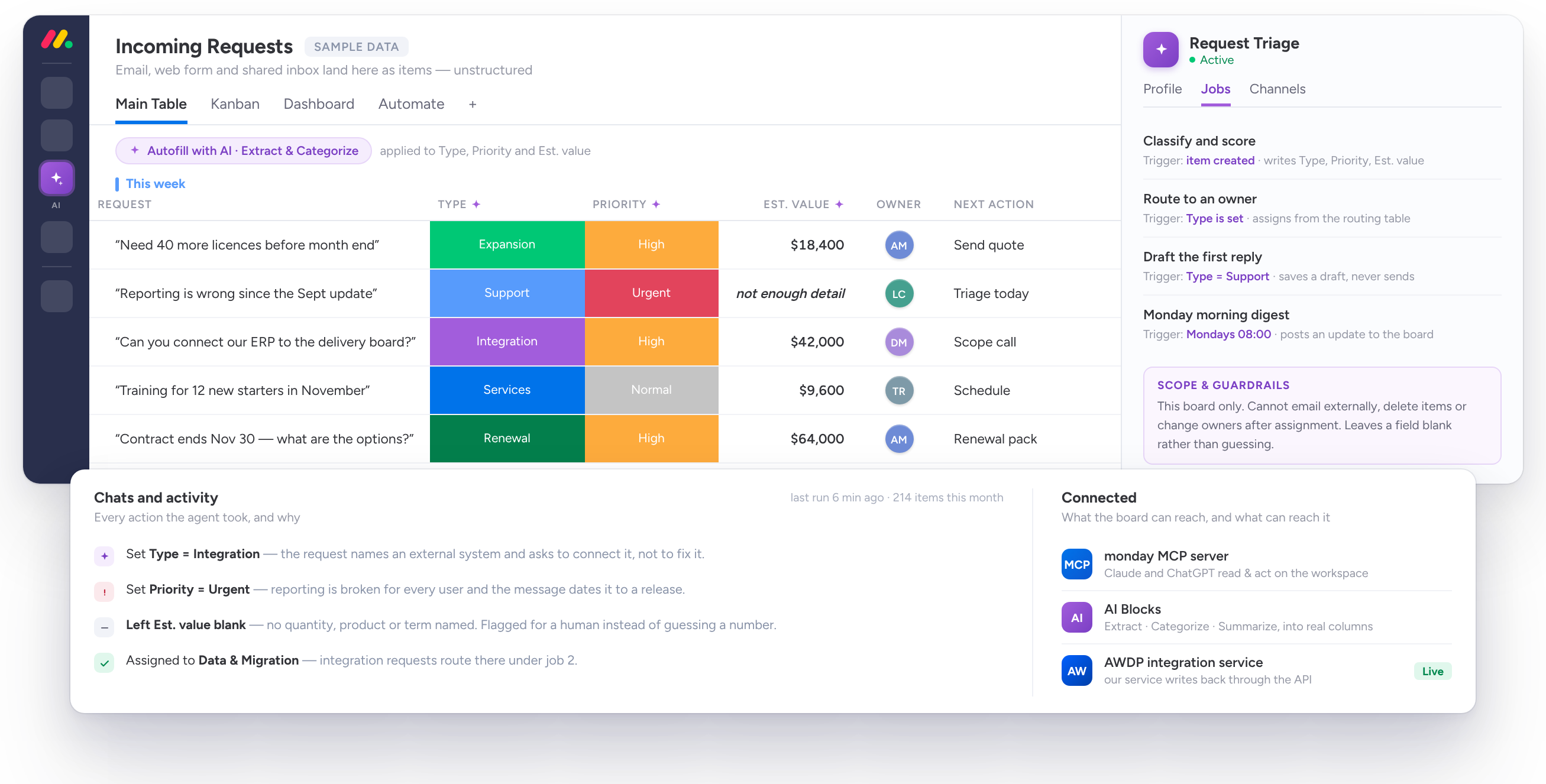
monday supports custom agents with scoped board access, audited actions and tracked AI credit usage, wired to leading model providers through a single API. We build agents that triage inbound inquiries and fill in the fields, produce weekly project health briefings, or answer internal questions about your own data.
Account Settings Views
A single place for administrators to configure everything we have built for you, instead of settings scattered across boards.
Workspace Templates
Your proven setup packaged so it can be rolled out again — a new division, a new office, or a new client account starting from a structure that already works.
What We Build
Private Apps for One Client
Built for your account only, using any of the extension points above, for something your business needs that nobody else will ever use.
Marketplace Apps
Apps published to the monday marketplace, available to every monday user and reviewed by monday before release. If you have a product idea that belongs on the platform, we build and publish it.
API Integrations
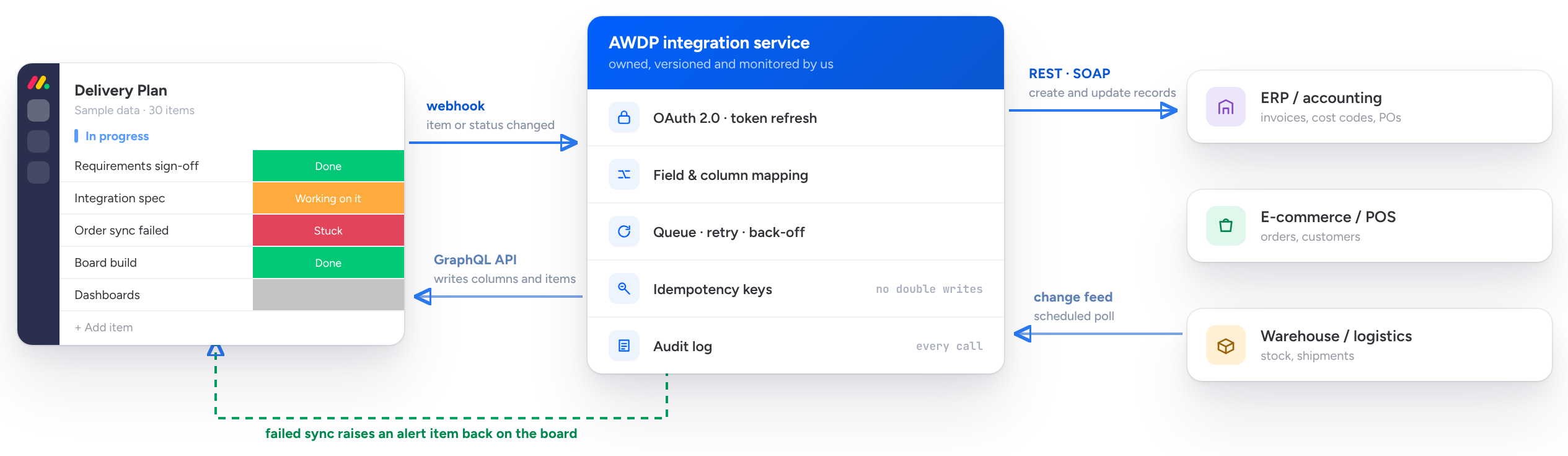
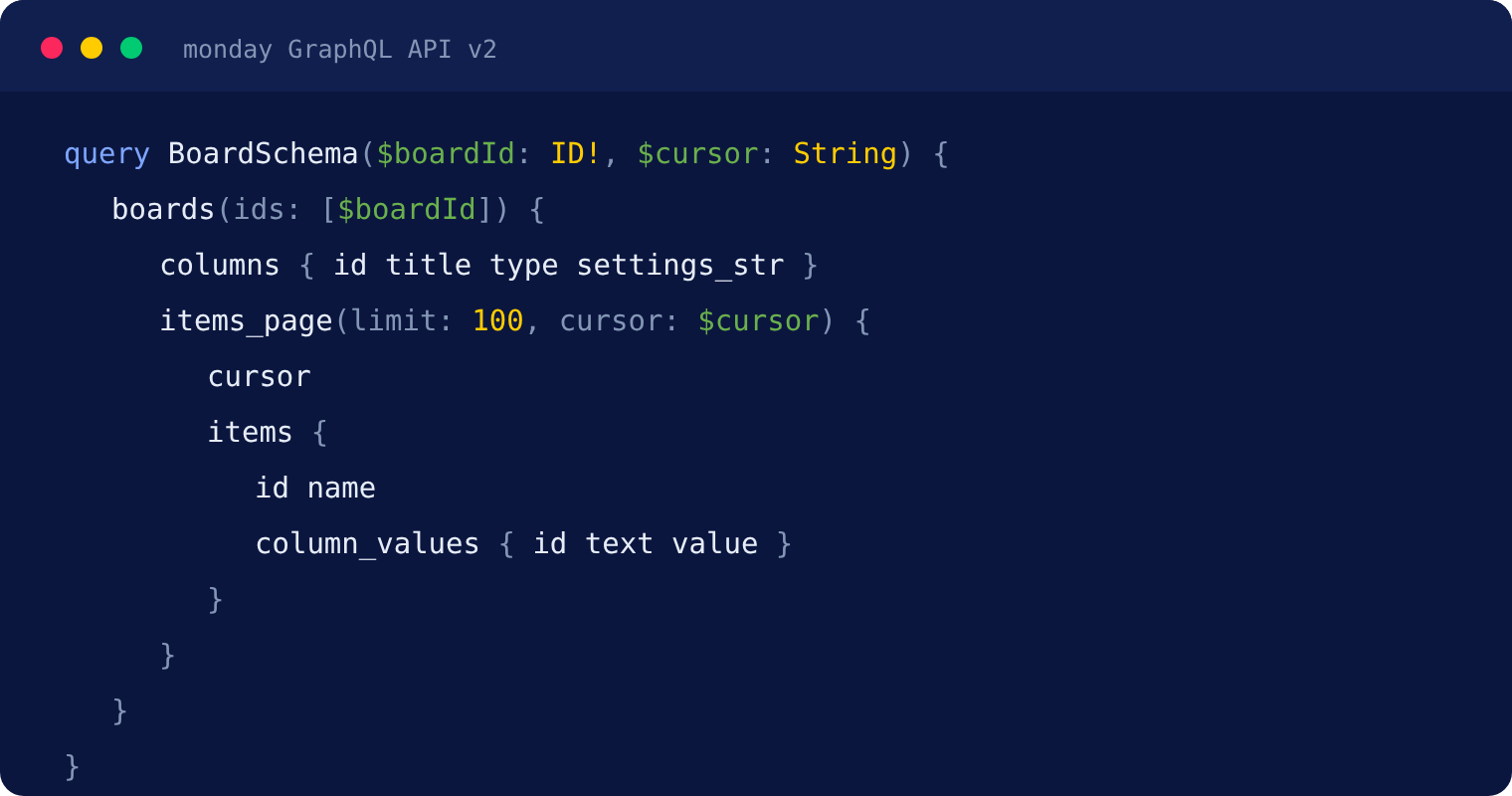
Two-way connections between monday.com and systems with no ready-made connector, built on monday's GraphQL API and webhooks so data moves in real time rather than by nightly export.
External Systems and Client Portals
Web applications outside monday.com that read from and write to your monday data: a portal where clients see their project status without a monday seat, a field app for crews, or a public-facing tool fed by your internal boards.
How We Build
We build on monday's own development stack: the GraphQL platform API for data, webhooks for real-time events, monday code for hosting with key-value storage, queues, scheduled jobs, logging and alerts, and the Vibe component library so the interface looks native rather than bolted on. Apps request only the permission scopes they need.
Custom Development FAQ
Do we own the code?
Ownership is agreed in writing before development starts. For private apps built for a single client, clients normally own the result.
Can you extend an app someone else built?
Usually yes, if the source code is available. We review what exists first and tell you honestly whether extending or rebuilding is the better path.
Where is the app hosted?
Either on monday code, monday's own hosting for apps, or on infrastructure we manage. We recommend the option that fits your security and integration requirements.
Can a custom app be published to the monday marketplace later?
Yes, if it is built with that in mind. Marketplace apps go through monday's review process, so it is worth deciding early whether a build is private or public.
Do we need custom development, or can automations handle it?
Most requirements are met with configuration and automations, and we will tell you when that is the case. Development is for what remains: missing interfaces, complex calculations, connections with no connector, and anything users need outside monday.com.
Bring Us the Thing monday.com Cannot Do
If you have been told a requirement is not possible on monday.com, tell us what it is. We will tell you whether it can be built, and what that involves.